How to Set Up Integration with Google Docs
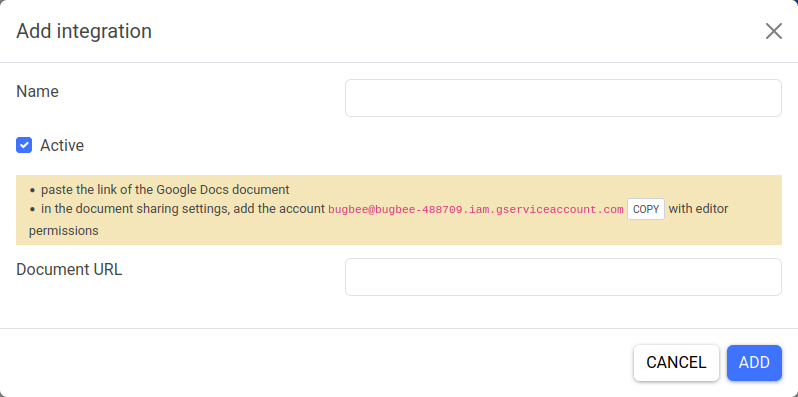
Fill in the general integration parameters:
- name (for your convenience)
- status (active/inactive)
To integrate with Google Docs:
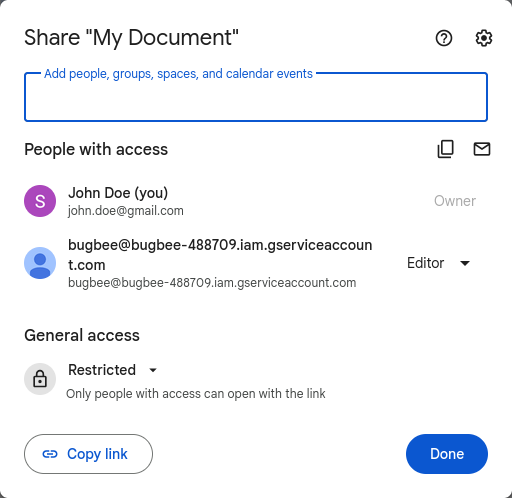
1) Open your Google Docs document. 2) Click the "Share" button to open the document's sharing settings.

3) Add the account bugbee@bugbee-488709.iam.gserviceaccount.com to the document with Editor permissions.
4) Return to the integration settings on BugBee. 5) Enter the document's URL link in the settings.